2024 Google Analytics Mastery: A Comprehensive Guide
In today’s landscape of SEO and Digital Marketing, maintaining an online presence is paramount, yet navigating the plethora of sub-tools and services can be daunting. Among these, Google Analytics (GA) emerges as a crucial asset as we approach 2021. This comprehensive analytical tool offers invaluable insights into website or web app performance, tracking progress and performance in real-time. While other tools like Matomo, Woopra, FoxMetrics, and Chartbeat offer commendable features, GA stands out as a top choice for organizing SEO efforts effectively. Whether you’re a novice or seasoned professional, understanding GA is essential, and below is a guide to get you started.
Understanding Google Analytics (GA)
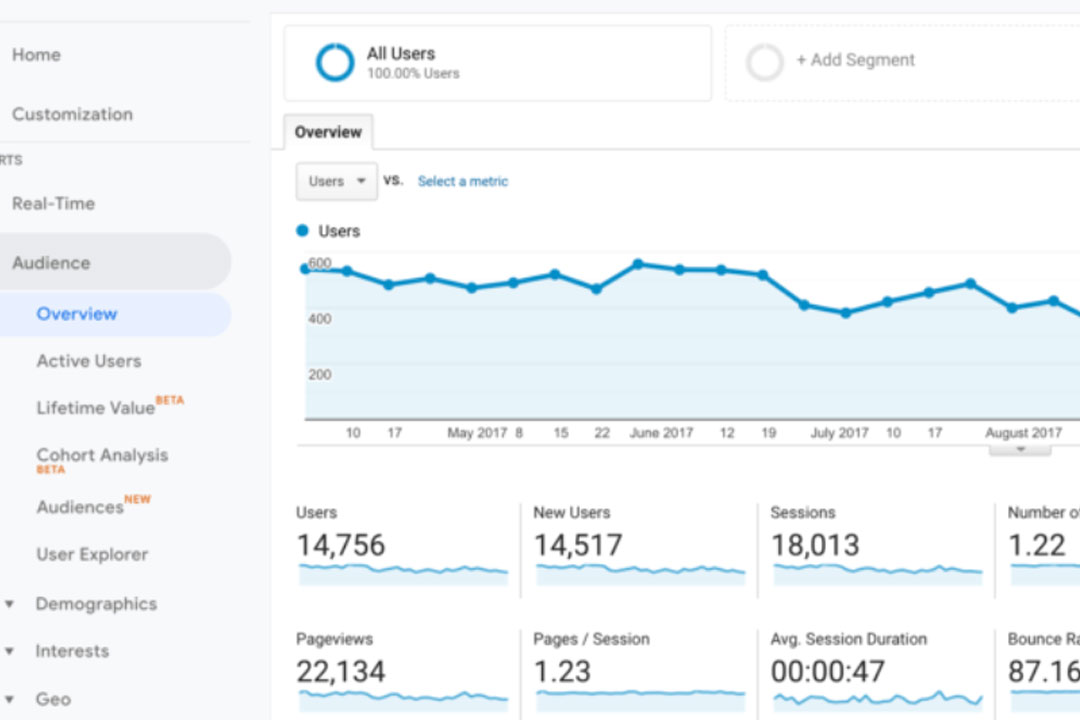
Google Analytics serves as an analytical powerhouse, providing users with a detailed overview of website performance. Essentially, it tracks and visualizes website progress in real-time, integrating seamlessly with major Google marketing and advertising platforms. Its data-driven approach proves invaluable for SEO endeavors, offering professionals actionable insights for optimizing online presence. While setting up and mastering GA may require time and effort, the wealth of marketing analysis options and abundance of data make it a worthy investment.
Exploring GA Pricing: Free vs. Paid Version
Google Analytics offers both free and paid versions to cater to varying business needs. The free version suffices for beginners and small businesses, providing essential features to enhance online visibility. Conversely, the paid version, Analytics 360, targets enterprise-level businesses, offering enhanced capabilities and support. With Analytics 360 priced starting at $150,000 per year, its extensive features and raw data access justify the investment, particularly for large organizations seeking invaluable insights for strategic decision-making.
Key Differences between Free and Paid Version
- Data Volume Capacity: Free version offers up to 10 million hits per month, while the paid version supports up to 20 billion.
- Custom Dimension and Metrics: Paid version offers ten times more customization options.
- Data Freshness: Free version may have data freshness over 24 hours, while paid version provides fresh data every hour.
- Support and Services: Analytics 360 users benefit from dedicated account managers, implementation support, training from Google experts, and more.
Setting Up Google Analytics: Step-by-Step Guide
- Create a Google Account: If you don’t have one, register for a Google account.
- Register for Google Analytics: Add your website’s URL, company name, and industry.
- Add a View to Your Property: Name and configure different types of views for your website.
- Access Unique ID and Global Site Tag: This code snippet is essential for tracking website visits.
- Paste Global Site Tag on Your Website: Place this tag in the
tag of each page for tracking. - Verify and Monitor Setup: Return to Google Analytics portal to ensure the code is functioning correctly.
Google Analytics Reports: Unveiling Insights
- Real-time Reports: Monitor website activity in real-time, capitalizing on trending content.
- Audience Report: Gain insights into visitor demographics, lifetime value, and cohort analysis.
- Acquisition Report: Analyze traffic sources, aiding in strategic targeting.
- Behavior Report: Dive deep into site content, speed, landing pages, and more.
- Conversions Report: Track goal completions and overall website performance.
Advantages of Using Google Analytics
- Cost-Effective: Free version offers robust features at no cost.
- Data Visualization: Easily comprehend website performance through visualizations.
- Meaningful Reporting: Draw actionable conclusions from comprehensive reports.
- Real-time Data: Monitor performance and compare metrics instantly.
- Target Audience Insights: Pinpoint and understand target audience better.
- Improved SEO: Enhance SEO strategies through data-driven insights.
Ready to Track
Armed with the knowledge of setting up and utilizing Google Analytics, you’re now equipped to track and optimize your online presence effectively. For ongoing support and updates, consider joining digital marketing communities on social media platforms. With GA’s sophisticated data analysis capabilities, your SEO efforts are poised for success in the ever-evolving digital landscape.
In the ever-evolving realm of SEO and Digital Marketing, maintaining a strong online presence is essential for businesses of all sizes. Google Analytics emerges as a powerful ally, offering invaluable insights into website performance and user behavior. Whether you opt for the free version or invest in Analytics 360, the benefits of leveraging GA are undeniable. From real-time tracking to comprehensive reporting, GA equips marketers with the tools needed to optimize their online strategies effectively.
By following the step-by-step guide and exploring the various reports provided by Google Analytics, marketers can gain a deeper understanding of their audience, traffic sources, and website performance metrics. Armed with this knowledge, they can make informed decisions to enhance their SEO efforts, improve user experience, and drive business growth.
As you embark on your journey with Google Analytics, remember to stay engaged with digital marketing communities for ongoing support and updates. With GA’s robust features and data-driven insights, you’re well-positioned to navigate the complexities of the digital landscape and achieve success in your online endeavors.
